


Replace Micro SMD Component Solution Workstation
1. DH-A2 automatic SMD Rework machine.
2. Replace Micro SMD component solution workstation.
3. Can replace micro SMD components.
4. Reasonable price.
विवरण
Replace Micro SMD component solution
DH-A2 BGA rework station was upgraded with a new button for top air-flow adjusting, so it can not reapir macbook,
computer, projctor formater , but also GPS tracker and mobile phone Ic etc.
Replace Micro SMD Component Solution Workstation
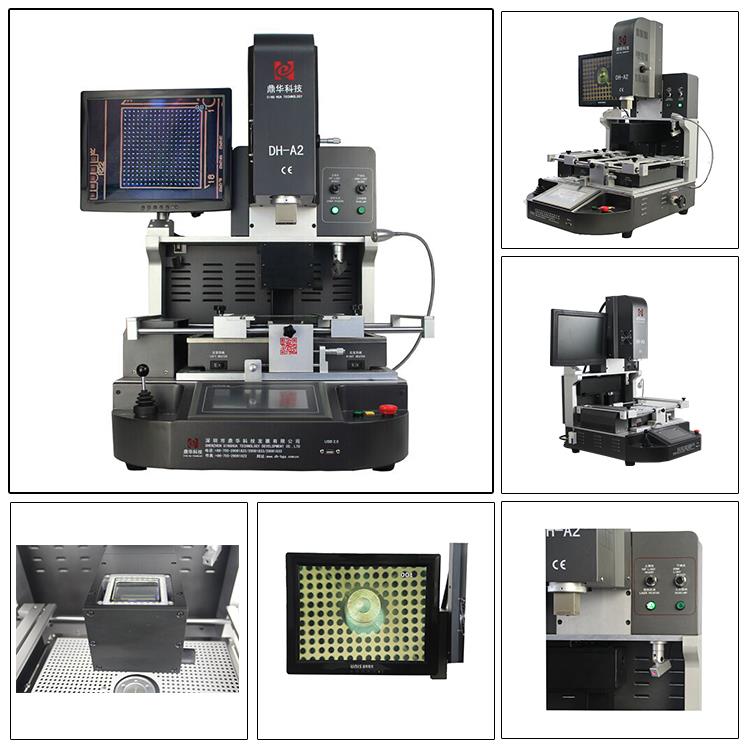
The BGA rework station's different views
Replace Micro SMD Component Solution Workstation
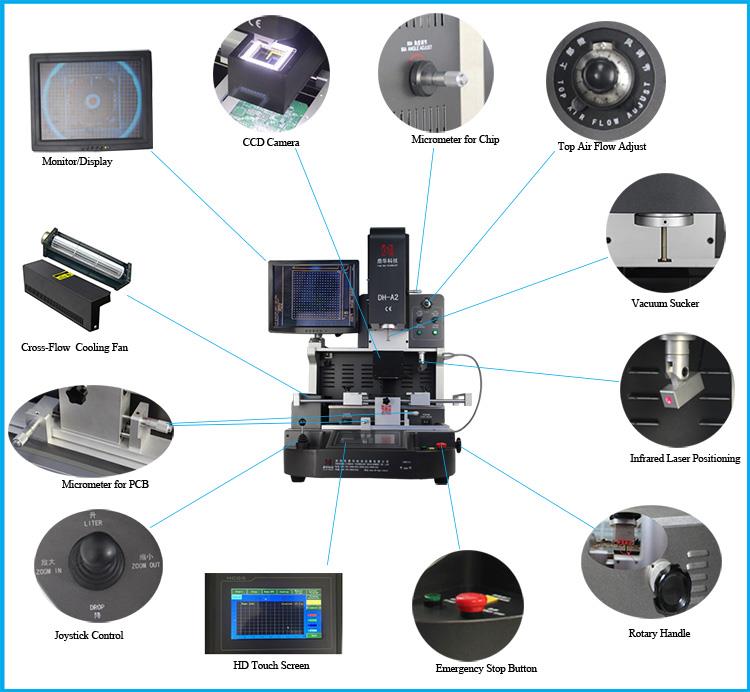
Every spare parts' display
Replace Micro SMD Component Solution Workstation
1. Application Of laser positioning Replace Micro SMD component solution workstation
Work with all kinds of motherboards or PCBA.
Solder, reball, desoldering different kind of chips: BGA,PGA,POP,BQFP,QFN,SOT223,PLCC,TQFP,TDFN,TSOP,
PBGA,CPGA,LED chip.
2.Product Features of CCD Camera Replace Micro SMD component solution workstation(Replace Micro SMD
Component Solution Workstation)
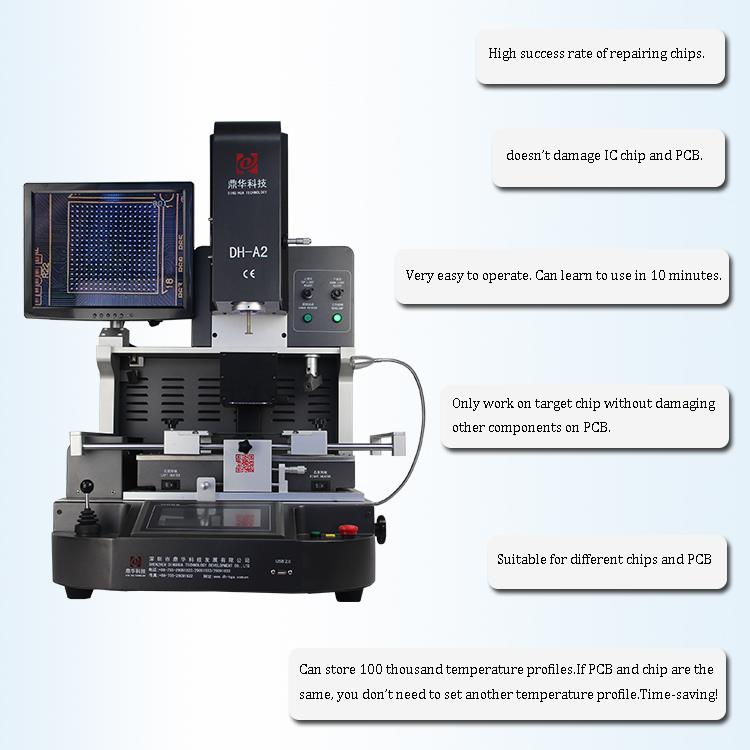
There are sever important function listed for your reference (Replace Micro SMD Component Solution Workstation):
1. high successful rate for chips repairing
2. don't damage chip and ic
3. easy operate, being able to learn in 10 mints
4. suitable for different chips and PCBA
5.can store more 100,000 temperature profiles
3.Specification of DH-A2 Automatic Replace Micro SMD component solution workstation(Replace Micro
SMD Component Solution Workstation)

Power: 5300W(110~220V 50/60Hz)
Top heater and bottom heater are hot air 1200W
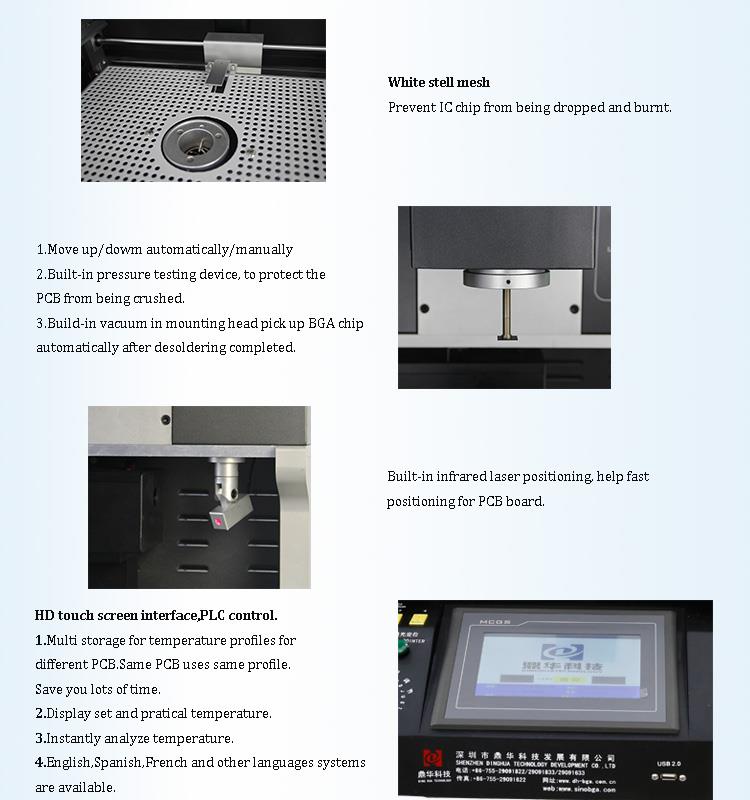
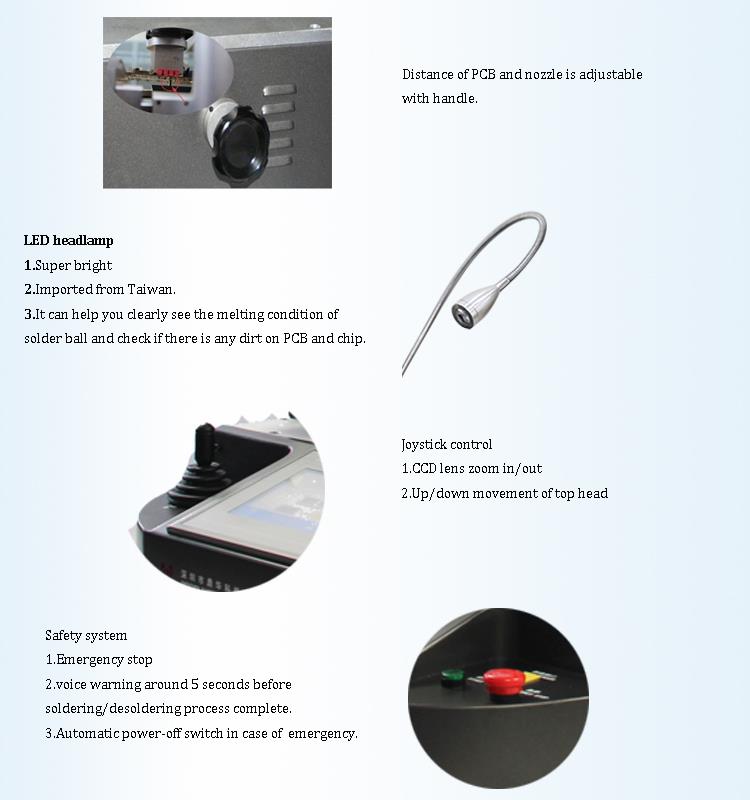
4.Details of Optical alignment Automatic PS4 CPU BGA Rework Station
(Replace Micro SMD Component Solution Workstation)

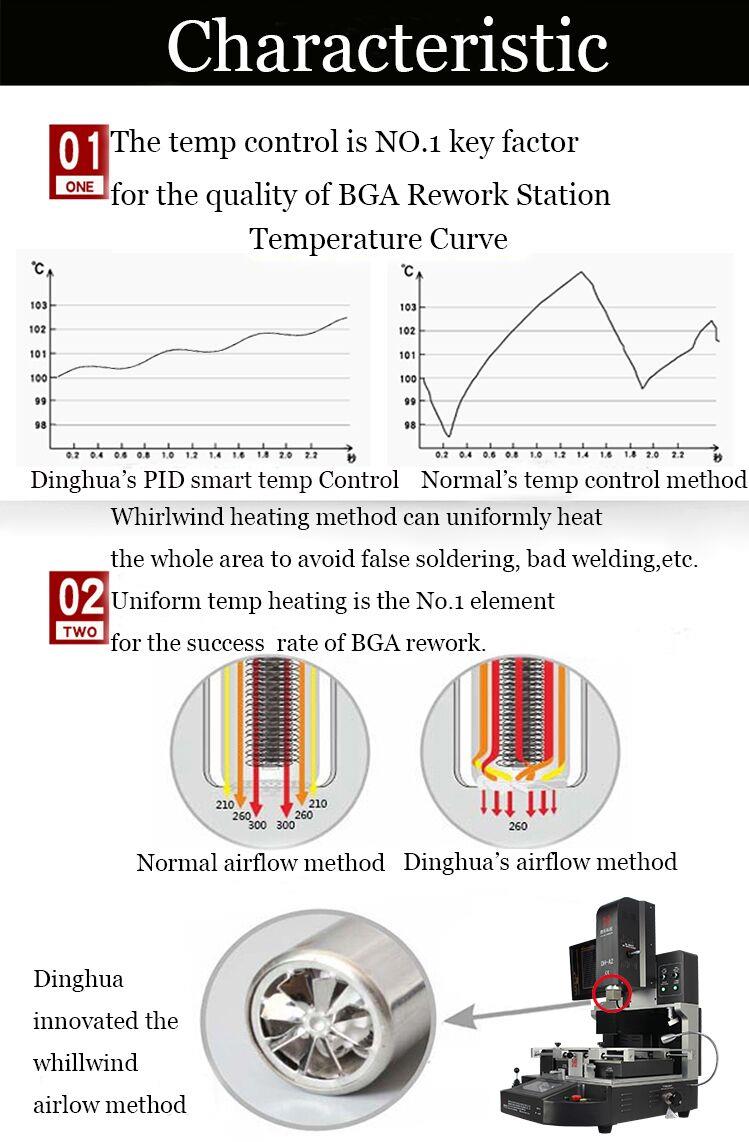
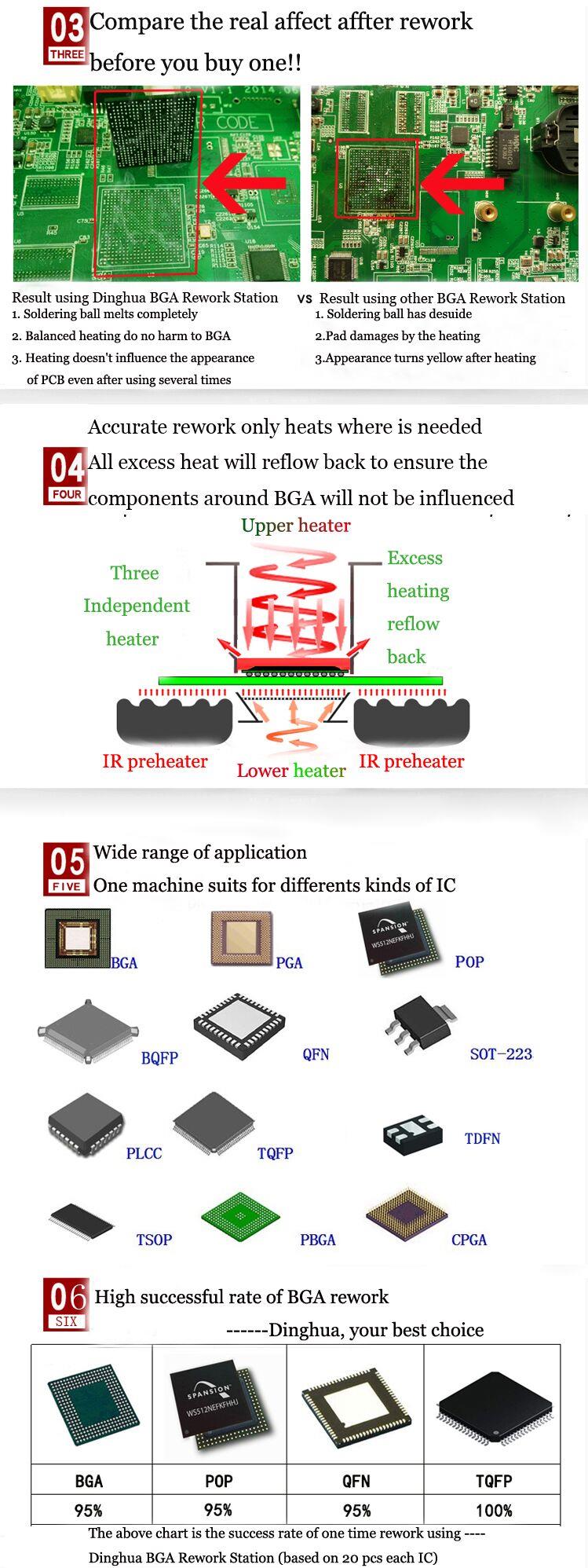
5.Why Choose Our Automatic Replace Micro SMD component solution workstation? (Replace Micro SMD
Component Solution Workstation)
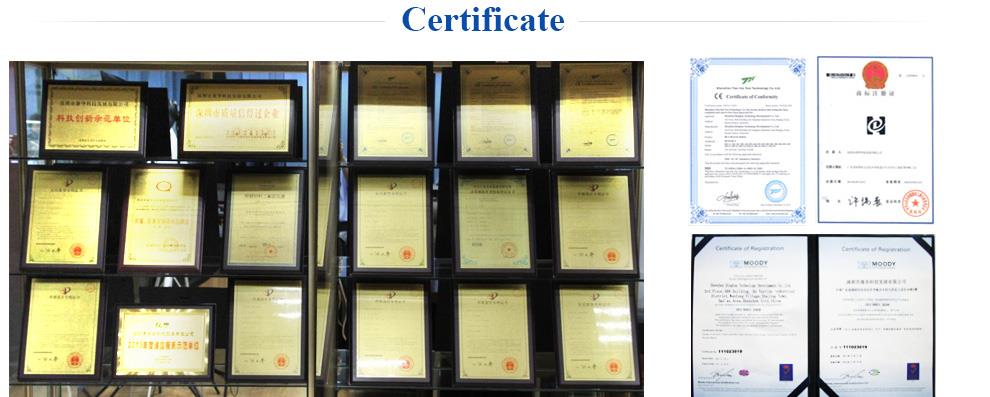
6.Certificate of Automatic Replace Micro SMD component solution workstation
UL, E-MARK, CCC, FCC, CE ROHS certificates. Meanwhile, to improve and perfect the quality system,
Dinghua has passed ISO, GMP, FCCA, C-TPAT on-site audit certification.
7.Packing & Shipment of Automatic Replace Micro SMD component solution workstation
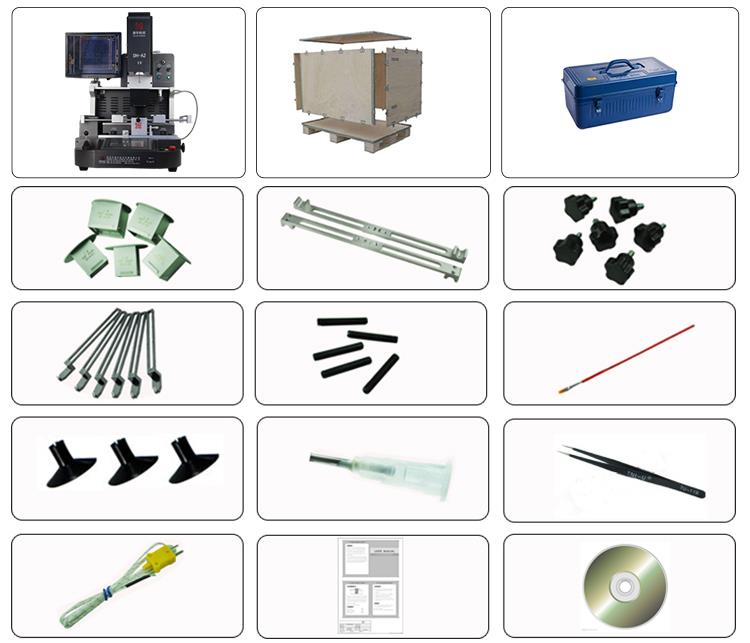
8.Shipment for Automatic Replace Micro SMD component solution workstation
DHL/TNT/FEDEX. If you want other shipping term, please tell us. We will support you.
9. Terms of Payment for Automatic Replace Micro SMD component solution workstation
Bank transfer, Western Union, Credit Card.
Please tell us if you need other support.
10. How DH-A2 Micro SMD component solution workstation?
11. Related knowledge
The temperature of the Central Processing Unit (CPU) when the computer is running. The CPU is guaranteed to be generally stable over a temperature rise of
20 to 30 degrees.
The CPU temperature is increased because the heat generated by the CPU is greater than the heat output of the heat sink. Once the heat and heat are balanced,
the temperature is no longer raised. The heat is determined by the power of the CPU, and the power is proportional to the voltage. Therefore, to control the te-
mperature, the core voltage of the CPU must be controlled.
When the computer is too hot due to cpu temperature, or hardware problems can not enter the system, can not third-party software to view the temperature of
the cpu, we can also use the second method, namely: enter the BOIS to view the cpu temperature.
If the computer crashes into the system, or the blue screen of the computer system is not caused by the internal computer hardware temperature is too high? Th-
is certainly can not be viewed using the software, but we can enter the power in the computer bios settings to view the computer hardware Health and temperat-
ure, etc.
CPU cooling
People often use computers for a long time and use them continuously. This is a test for the CPU of the computer in the summer. For how to cool the CPU, we have
the following options:
1. Traditional cooling pad: The computer is placed on an ordinary desktop, which often forms a heat with the desktop. Moreover, the cooling effect of the desktop
is not very good. Everyone has the feeling when using the notebook. After using the computer for a while, Touching the desktop under the computer will feel very
hot, which is due to overheating. The thermal pad is suitable for notebooks.
2. The same applies to notebooks, radiators, I believe that there are many computer vendors to package the radiators for sale, but there are many without a radia-
tor, the radiator is specially bought. Some computer brands have a poor cooling effect, which requires a radiator to help cool down.
3, for desktop computers, the normal operation of the fan is very important, everyone should always clean the fan, the fan power of the desktop is very strong, do
not need to add additional cooling equipment, we have to do is to the computer CPU The dust accumulated for a long time is cleaned in time to detect the normal
operation of the fan. (Some computers may be assembled by individuals, CPUs are packed in boxes and in bulk. The boxes are equipped with heat sinks and do n-
ot need to be equipped. There are no heat sinks in bulk, so a radiator with a comparable power should be used to maintain the normal CPU temperature.)


